Payments
This week our Payments team has done a large quantity of work on webhooks. Webhooks are a method by which other applications can use ClickFunnels. As an example, Our Voomly Software is a licensed software, in order to use it you must have purchased a license. When a Voomly customer starts their software it checks with ClickFunnels to see if this user has a license and verifies their purchase. This all happens in the background via webhooks.
The more webhooks we have and the more data they contain, the more of a full experience we can provide to you.
This week we added the following webhooks:
- order.created
- order.deleted
- order.updated
- invoice-paid
- renewal-invoice-payment-declined
The Team also added the following data to webhook adds and sends:
- phone_number
- Any custom fields in the contact record
- Contact Segments (ID and Name)
- Contact Groups (ID and Name)
- page_id
- page.name
- Funnel.name
The Team also strengthened the content of the following Webhooks:
- subscription.activated
- subscription.canceled
- subscription.downgraded
- subscription.reactivated
- Subscription.upgraded
Our payments team also added filtering for payments types and cleaned up a few known issues.
- Added additional styling to the Payments Page
- Fixed visibility of the pricing on the customer center
New Feature: Payment Link You can now generate a payment link for unpaid invoices. This link will allow your users to securely pay their invoices. This is helpful in cases where a customer’s card has been declined and you would like to follow up about the payment manually.
Funnels
This week our Funnels team made some improvements to workflows! Workflows are a big part of any campaign. Previously, you could add yourself to workflows, or you could add a contact to a workflow from the workflow, however, now you can add contacts to a workflow directly from the Contacts Index Page.
- Simply select the contacts that you wish to run through a workflow, click on Actions and select “Run Workflow.”
- You can then select the Workflow you wish to run the contacts through.
- Select Force Run if you would like to run any contacts through the workflow who might not meet the rules set for the workflow.
Blogs
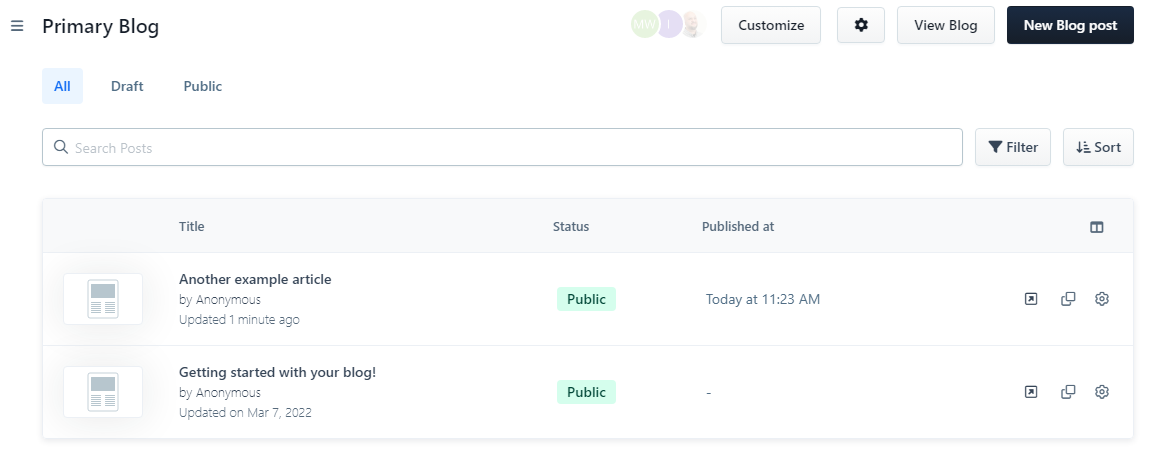
This week we made some improvements to the blog index page to better present your list of Blog posts on the backend.